 cheatmode
Cheat code 06
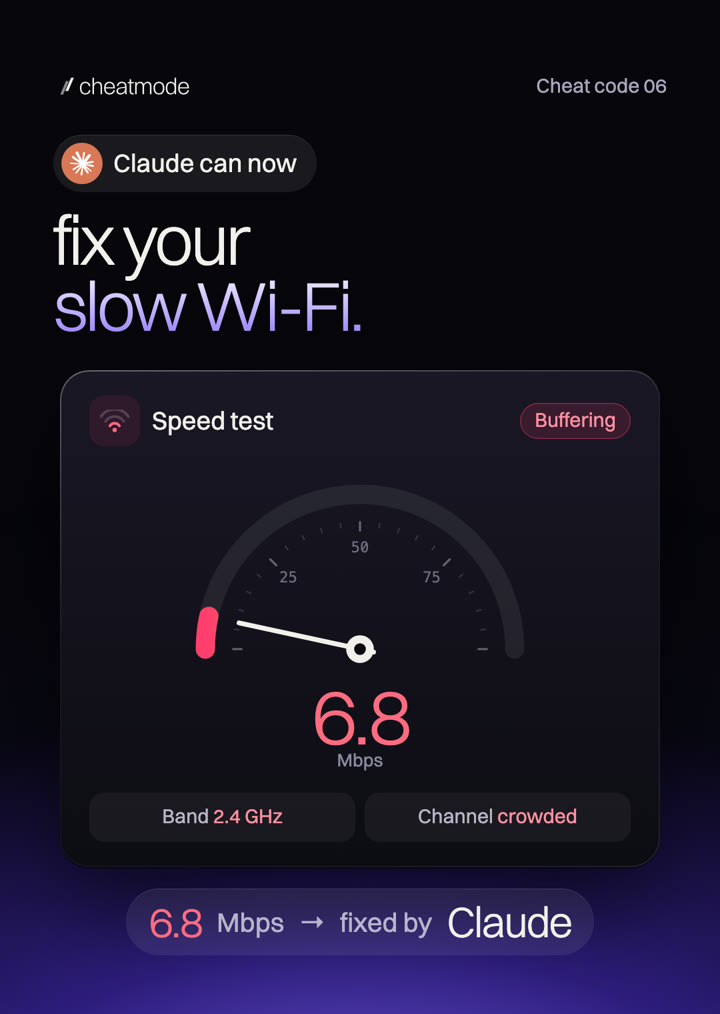
It finds your router, tests your speed, finds what's slowing it down, and fixes it with your OK.
What Claude found
6.8 MbpsSpeed on the crowded 2.4 GHz band
4.5 secondsLag while loading
The same router also had a fast 5 GHz band that the laptop wasn't using.
How to run it
Open Claude
Open the Claude desktop app and switch to Code.
Paste the prompt
Paste the prompt below. Claude finds your router and runs the checks on its own.
Approve the fixes
It asks before changing anything. Type your router password yourself when it asks.
Re-test
It runs the speed test again and shows before and after.
The prompt
My Wi-Fi is slow. Find my router, then find everything slowing it down.
1. Run a speed and responsiveness test (macOS: networkQuality -v. Windows: tell me which test to run).
2. Check which Wi-Fi band, channel and channel width I'm on, my signal strength, and which nearby networks share my channel.
3. Check my DNS servers and which apps are using the most bandwidth right now.
4. List every device on my network and flag any I might not recognise.
Then show me the fixes ranked by impact, with how to undo each one. Ask me before changing anything. If I say yes, apply them (I'll type the router password myself), then run the speed test again and show before and after.